Tag Archives: wordpress

Tips to use WordPress Akismet to Avoid Spam

Akismet-imageAkismet is an important plugin for WordPress. Akismet checks WordPress comments against the Akismet Web service to see if they look like spam or not and lets you review the spam it catches under your blog’s “Comments” admin screen.

Major features in Akismet include:

  • Automatically checks all comments and filters out the ones that look like spam.
  • Each comment has a status history, so you can easily see which comments were caught or cleared by Akismet and which were spammed or unspammed by a moderator.
  • URLs are shown in the comment body to reveal hidden or misleading links.
  • Moderators can see the number of approved comments for each user.
  • A discard feature that outright blocks the worst spam, saving you disk space and speeding up your site.

It is important to clean out the spam contents. Here is the criteria for the spam.

(1) If they are not addressing the content with your post in a way that shows they read it
(2) If they are dropping a link to their site that is completely irrelevant
(3) If they are using something other than a real name for their name (ex. website name)

Spammers can be tricky and Akismet plugins may not be able to prevent all of your spam, sometimes, you still need to manually check and delete spammer comment.

7 Tips to Write Awesome Blog Post For Online Marketing

Introduction – How Important to Write Attractive Blog Post For Online Marketing

WA Level 2.1a - tips on blog postMost online marketers would create their own web sites to promote products via blog post. If their web sites have good Google Rank to attract High Traffic, their web sites would worth a good deal of money. The most cost effective and efficient way to generate traffic is through blog post. Through high web site traffic, you are going to generate a lot of revenue. Then, why people browse your web sites and read your posts ? The critical factor is on the content of web sites, for example, valuable content and good looking. There are several useful tips to write awesome blog post for online marketing promotion, and I would like to share some with you in the following.

Tips 1 – Original Content

WA Level 2.1 - contentOriginal content is the most important for driving a high SEO ranking so that I treat it as the most important tips. You have to make sure your web sites is not viewed as duplicate content. If SEO treats a post as a copy version, SEO will not rank that post, maybe sometime even degrade that web site ranking. If you want to post some attractive third party information to your web site, you can directly share the third party link and write some description about it (but not copy). I also advise you to use rephrase technique to rewrite others information to your web sites which is better than copying content.

Tips 2 – Take Advantage of Using Keyword to Generate Traffic

If you can create blog post that can rank under proper keyword, you are going to obtain the success criteria of online marketing. Google should be the first focus of SEO because it covers 65% of all search traffic and some statics suggest 95% of search on mobile devices. Traffic come from Keyword, from Keyword to create content, to get rank lastly to get traffic. Once you have traffic, you have the opportunity to earn revenue so traffic should be your initial goal on building web sites. Each blog post on your web sites should contain the followings:

(1) Keyword somewhere in your page/post title
(2) Keyword somewhere in the first couple of paragraphs
(3) Then write your content naturally (don’t focus on the keyword)

WA Level 2.1a - blogcontent

Each page or post that you create on your website should be focused on a particular keyword theme going forward. The keyword related content is the root of the traffic on your web sites.

Low competition keyword means less people search that keyword but it is easy to get in higher ranking for searching. High competition keyword means many people search that keyword, then, a lot of online marketers will target to get a higher ranking for that keyword search. For those new web sites, it is very difficult to get ranked using high competitive keyword, so that it is better to use low competition keywords in the beginning stages. Although less people will reach your web site through low competition keyword, it can put in higher rank in searching, as a result, the conversion rate still exists and its result should be better than using high competition keyword. As your web sites get popular and obtain a higher rank in SEO searching engine, you can then start to select to use high competition keyword in order to get full advantage of searching to position your web site in high rank. Remember, keyword is your path to rankings in SEO search, such as Google, Bing, Yahoo, Baidu. It is worth to put effort on Keywords during writing blog posts.

Tips 3 – Well Organize Web Site Via Menu Bar

Most people would browse menu items starting from left hand side, and that’s how people will interpret the navigation in your web sites menu, too. So, you should organize the introductory menu item in the left hand side, e.g. “HOME” page in the left, the most important and popular menu items can be put in the middle, and the least important menu item in the right hand side, for example, “about us” page or “privacy” page in the right hand side. In WordPress web site, you can go to the “Manage Location” tabs to make sure you arrange the menu layout in the well organize way, referring to below diagram:

WA2.1a-managelocation

Tips 4 – Setup Author Name for Writing Blog Post

By Default, the default and main author of WordPress content is with the name of “admin”. However, your web sites will look more professional and trustable with a real person’s author name rather than displaying the “admin” author. To create this trust, you are writing on behalf as a real person, but not an admin. In order to have a real and personalized user instead of “admin”, you need to create a new user account or change the display name of “admin” account to a real person name. You can use your real name (first name) or you can use a Pen Name.

Tips 5 – Well Format Blog Post

I would like to suggest you 6 tips to format your blog posts in order to make it more well organize, readable and attractive as below:

(1) Smaller paragraphs
(2) Separate your ideas with HEADING tabs (h3 or h4)
(3) Black or dark grey text on white background
(4) Use conversational speak
(5) Use a captivating headline
(6) Use relevant images!

Tips 6 – Wisely Use Photo Image and Video

If you can add relevant image or video to your blog posts, it will increase its content readership and people will like it. There are many sources you can find relevant image or video from:

  • Your own personal camera / smartphone
  • Screenshots that you take (screen capture: Mac – shift + F4, PC: Prnt Scrn)
  • Google Image
  • Pinterest Image
  • http://www.freeimages.com/
  • Wikimedia commons (http://commons.wikimedia.org/wiki)
  • droplr.com
  • Amazon Associates (product images)
  • Paid photos (that you buy via sites like Fotolia.com, snagit, etc)

Beautiful image or popular Video can absolutely make your blog post more attractive. Remember that the image or video should visually represent what you are talking about and it is relevant. Finally, remind you about copyright and wisely think whether or not photo you can use the image or video in blog post.

Tips 7 – Encourage to Leave Comment or Feedback

Comments can lead to web sites engagement, which leads to a better user experience and better rankings in searching engine. For example, Google loves and looks for an active content. If you are active within your comments, it will show them that your web site is active and engaging people, then, your web site will get a higher rank. Hence, you should take the advantage of using the “Comment” feature in WordPress (i.e. activate “Comment”), or include your domain specific email address on your blog post or “About Us” page. You should encourage readers to leave comment or feedback after reading your blog post. Another thing is that you have better ask for some feedback from your reader in the “About Us” page. For example, writing the below statement:

You are welcome if you can give me some feedback on my website.

WA Level 2.1a - commenta

WA Level 2.1a - comment

Conclusion

WA Level 2.1a - tips on awersome blog postIf a web site is full of promotional content with many advertisements or banner ads in it, people will hate that web site because people are looking for valuable information rather than seeing advertisement. It will absolutely not get ranking and will not convert to sales. Remember that the success factor of a blog post is whether or not it can bring benefit to your reader, in order to attract them to stay and read your blog post. I hope the above 7 tips to create awesome blog post for online marketing would benefit to you. Good Luck and be success for online marketing.


You are very welcome to leave me your thought or any comment, let’s discuss and share your idea in below comment area. Thank you.

Setup of WordPress SEO Plugin

Introduction

seo-images2In this web site, I talked about the setup of paid traffic through facebook ads (as link HERE) before. On the other hands, we can also get traffic FREE OF CHARGE through Search Engine Optimization (SEO) technique which can optimize your web site to improve its visibility to web search engines. Currently, there are 3 big search engines in internet world, i.e. Google, Bing and Yahoo. Although the big brother is Google which owns over 2/3 of all search traffic and over 95% of mobile searches, we still worth to consider the other two search engines while working on it.

Objective of SEO

The main objective of working for SEO is to get a higher rank in the web search engines. If your web site can appear in the first page of search result, it absolutely has a better exposure to audience and can attract more traffic and attention, as a result to have a better promotion and sales power. Do you realize the following formula ? SEO is a very important aspect of any website’s success.

Website Rankings + Targeted Traffic = Revenue

If you are running a wordpress web site, you have to install SEO plugin which can do a lot of the “dirty work” for you and will take care the optimization of all your website pages, posts, meta tags, and other aspects that search engines look for when ranking your site. There are two popular WordPress SEO plugin, named ‘All in One SEO’ and ‘WordPress SEO by Yoast’. ‘All in One’ is ideal for beginners as it works out of the box with a few extra easy details added by the user. Yoast’s plugin is by far a lot more customisable but as a result it seems a lot more complicated. I think Yoast SEO is for intermediate to advanced users.

Setup of Yoast SEO in WordPress Website

I like to use Yoast SEO plugin for my WordPress website. Its installation is simple.

  1. The first step is to search and download its coding from add WordPress plugins, then confirm to install.
  2. Activate the WordPress SEO plugin through the ‘Plugins’ menu in WordPress
  3. Configure the plugin by going to the SEO menu that appears in your admin menu as below screen dump:

YoastSEO-screenshot-1

YoastSEO-screenshot-3


YoastSEO-screenshot-4 YoastSEO-screenshot-5 YoastSEO-screenshot-6 YoastSEO-screenshot-7

The most important operation for using Yoast SEO is to fill-in those SEO required information for pages, posts, tags, category, which you should take time to do it during document creation, but it is crucial. Do not skip it.

Note:  Yoast will rewrite all your titles, so they might change after switching.

Introduction of Google Analytics for SEO

Using SEO plugin can make our web site more friendly for search engines, and they can index and rank our web site better. However, if you want to know whether your SEO setup is functional okay to improve your web site rank as well as traffic. You have to use some kind of traffic analytics tools. There is a FREE tool from Google called Google Analytics which has good enough for general usage. Google Analytics can provide you information of your web site about how much traffic it is getting in and where it is coming from.

The setup of Google Analytics is simple. Its setup process is as below:

  1. Creating a Google Analytics Account
  2. Getting Your Analytics Tracking Code
  3. Adding it to the All in One SEO Tool
  4. Checking to Make Sure it Works

The setup process is very simple and when you are done, you are going to have full tracking set-up on your website and will be able to determine everything you need to know about your website visitors and also visitors’ behaviour on your website.

Here is my Analytics report of my web site for your reference:

google-analytics1

google-analytics2

How to Utilize Facebook for Online Marketing

Introduction

facebook-usersNowadays, Facebook is the biggest social networking platform in the internet world. By the end of year 2014, Facebook has 1.35 billion monthly active internet users as besides diagram. Besides internet, Facebook is also accessible to mobile users. Moreover, Facebook can interact with a lot of application including social games or other services like Instagram photo-sharing application. Facebook is so popular that everyone can publish their posts and messages on Facebook Free of Charge, and those posts and messages can be viewed by all your Facebook fans or followers. Hence, if we take this advantage of Facebook, it is an extreme powerful platform for product and business promotion. If you have a large number of fans and followers, you can promote your product Free of Charge by sharing your product information on your Facebook page. If you just start Facebook and has no fans, you can also pay to Facebook to advertise on Facebook platform.

Let’s discuss Four types of Facebook promotion methods as below:

  1. Setup Facebook Paid Advertisement;
  2. Setup WordPress’s Social Media Feather Plugin for Icon of Facebook Social Networking;
  3. Setup WordPress’s Add Link to Facebook Plugin for Auto-Publishing New Posts to Facebook;
  4. How to Improve Traffic of Facebook ‘Like’.

1.  Setup Facebook Paid Advertisement

The traditional type of Facebook Ads is ‘Pay Per Click’ (PPC) advertisement, which you create an ad and then pay to Facebook to deliver it your target reader whom you can specify with specific interest, specific age range, sex, or nationality. PPC ads is the most common type of paid advertisement on Facebook.

All paid ads appear on the right side of Facebook pages and in search results. Ads may show in any position with up to six other ads. The position of your ad is determined by whether your budget was competitive compared to other ads which target the same audience as you.

1.1  Setup Procedure

There are a generic steps of creating a Facebook Ads as below:

1.1.1 Create an ad which is directed to either a page, url, event or offer, then post what you want to your ad to say.

facebook-setup0

1.1.2 Select your target audience, e.g. location, language, age range, gender, nationality, interest, and set your budget, for example start with $5.00 per day.

facebook-setup0-1

1.1.3 Submit your ad ordering to Facebook and wait for Facebook approval. Facebook will email you the approval status later.

1.2  Conclusion to Facebook Paid Advertisement 

Facebook is the most effective way to promote product to a targeted audience. If you are wary of social media marketing, the only way to test the waters is to run some test campaigns.  When running a Facebook Advertisement campaign, it wouldn’t hurt to start out with a large range of audience and see what the results are. Then, review the results and fine tune the settings to more and more specific audience, until you achieve what you want.

2. Setup WordPress’s Social Media Feather plugin for Icon of Facebook Social Networking

WordPress Social Media Feather is a super lightweight free social media WordPress plugin that allows you to quickly and painlessly add social sharing and following features to all your posts, pages and custom post types.

The plugin supports adding of social buttons for sharing or following (that is, social buttons that link to your social network profiles pages). The social media buttons can be easily and automatically be added to all your posts, pages or any other custom post types.

After installed and activated this plugin, you can set it up as below screen.

facebook-setup5

After setup successfully, you can see your social networking icons such as facebook, google, linkedin, twitter, etc, as below screen. So, you can easily redirect your reader to your other social networking platform in order to provide more communication channel for product promotion.

facebook-setup0-2

3. Setup WordPress’s Add Link to Facebook Plugin for Auto-Publishing New Posts to Facebook

Automatically add links to posts or pages that are being published to your Facebook wall, pages or groups. Simple one time setup and forget. The way links appear on Facebook can be customized. The link title will be the post title. The link description will be the excerpt, or part of the post text if there is none. It is possible to configure a link image (WordPress icon, first image in the media library or in the text, featured image, avatar of the author or custom image) or you can let Facebook select one automatically. It is possible to exclude individual post links from being added to your wall, pages or groups by ticking a check box just above the publish button.

3.1  Setup Procedure

If you have more than one Facebook account, either logout completely or login to the correct account before you start. If you want to add links to a fan/community/business page, authorize the plugin with a personal account that owns to the page. If you have a multi-site installation, create a separate Facebook application for each site.

(Note: Never delete an existing Facebook application, because you could delete the links added through it too.)

3.1.1 Click on the link here to Register as Facebook Developer

3.1.2  Create the Facebook application:

  • Give it any display name you like and press Create App
  • Go to the application Settings (left menu)
  • Fill in a valid Contact Email
  • Click Add Platform and select Website
  • Copy the red URL from the Easy setup section of the plugin settings page to the field Site URL
  • Press the Save Changes
  • Go to Status & Review (left menu)
  • Turn Do you want to make this app … public on
  • You don’t need to submit your application for review if you will be posting to Facebook pages you administrate

facebook-setup2

3.1.3  Copy the App ID and App Secret from the Facebook application page.

3.1.4  Setup the plugin in WordPress Dashboard in the Easy setup section of the plugin settings page.

facebook-setup4

  • Input the App ID and Secret ID, and press the Save button to save the plugin configuration
  • Press the Authorize button on the plugin settings page, login to Facebook if needed and allow the plugin all requested permissions
  • When Facebook asks you for the access privileges to your profile/pages, do not uncheck anything and do not click “Skip”

facebook-setup5

Please note that you can add links to Facebook pages you administer (own) only. You can add links to other pages after submitting the permission manage_pages for review and getting approval from Facebook.

3.2  Completion of Add Link to Facebook Setup

After setup successfully, you can auto-publish your new WordPress post to your Facebook page, as example of displaying this post in Facebook as below screen.

facebook-setup6

4. How to Improve Traffic of Facebook ‘Like’

There are several websites which allow you to increase your Facebook likes on your Facebook page, images, videos etc and that too for free. I would like to introduce you 5 these websites as below:

4.1  Like4like.org

Like4Like.org gets the top spot for it’s user friendliness, high follower and user base and quick response rate.

Using this website you can earn more and more credits by liking pages, commenting on pictures, watching videos, liking youtube videos etc. The number of points that you can earn have no limits. If you become the best credit earner, you might end up winning a jackpot of 3000 points too! This can be done under the ‘SOCIAL MEDIA EXCHANGE’ option.

These points can be used to get Likes on your Facebook page using the ‘ADD/MANAGE PAGES’.

The website would ask you to add the link of the page you wish to get likes and set a CPC(COST PER CLICK). Higher the CPC, faster the likes, because your page like request would get displayed on the first page of ‘Social Media Exchange’.

If someone would open your page and like it, your credits would get deducted. If my CPC is 10, for every like that I would get, my credits would get reduced by 10.

You can buy credits on the website as well.

4.2  AddMeFast.com

AddMeFast works in a similar way. Instead of earning credits, you would earn POINTS on this website by liking, commenting, subscribing, etc. The best thing about this website is: YOU CAN GET REGIONAL LIKES. AddMeFast allows you to specify the countries you wish to get likes from.

So, if someone likes your link, your credits get deducted on the basis of the CPC set. Points can be purchased on this website as well.

Note: CPC is actually the CPL(cost per like). If someone just opens your page and doesn’t like it, the points/credits would not get deducted from your account.

4.3  LikesAsap.com

LikesAsap.com get’s the third spot. What makes this website different from the above two is that the user can earn by liking other pages through the website. Once the user registers and logs in, the user gets to choose what he/she wishes to likes, view, follow or share. For every such action made a minimal amount is added to the users account, which can be redeemed by the user after a certain level of amount get’s crossed. A good website for people who want to earn and fetch more likes at the same time. The scope of earning is too less though.

4.4  Sonuker.com

Sonuker works on a similar strategy as the above. By liking, commenting, sharing, following on Facebook or even watching, liking youtube videos, instagram images etc, the user gets to earn some points which can be further spent by the users to get likes on his own facebook page. A highly used and trusted website to get free facebook likes.

4.5  LikeBot.org

LikeBot.org is another easy to use facebook exchange website. The interface is very simple and can be easily adapted by the users who wish to increase their facebook likes. It works on getting Facebook Likes only, which set’s it apart from other competitor websites.

Bonus: There are other useful WordPress plugins for social networking. Pls refer to the <MOST POPULAR WORDPRESS PLUGIN> post in this web site via click link <<HERE>>.

FREE Site Builder from WealthyAffiliate and WordPress.org

Introduction of Wealthy Affiliate Site Builder

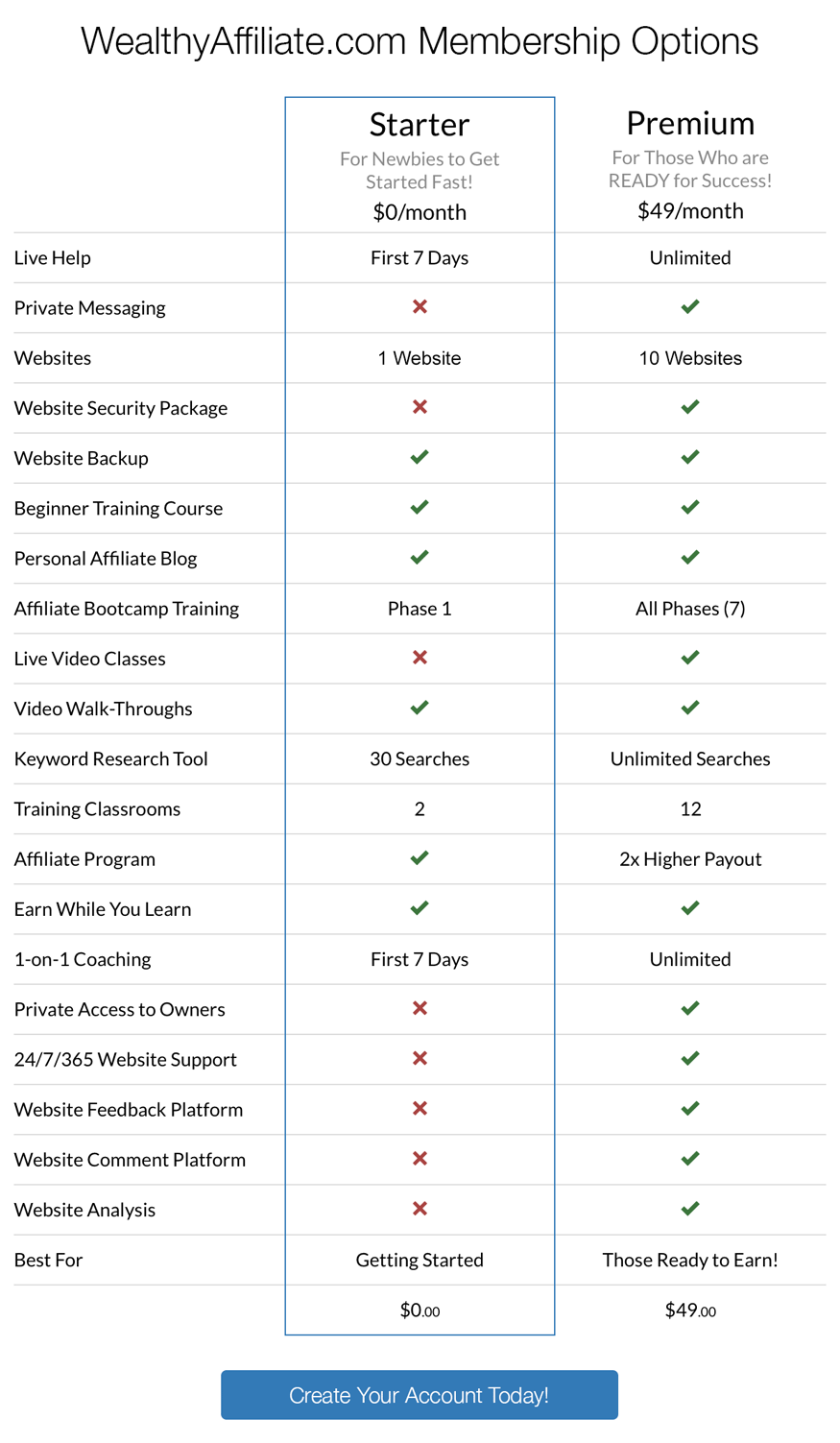
wa_make_money_125X125Because I am a member of WealthAffiliate Community, I would like to introduce you a free WordPress web site which is provided by WealthAffiliate.com. You are welcome to create by your own FREE web site as below. Even-though you do not want to join this WealthAffiliate Community, you can also try their FREE domain web site service, called SiteRubix domain. It is a WordPress based platform which is the most popular and easy to use platform for online marketer. Most online business need to have their web site, and you need it, too. It is 100% FREE.

I started to use their Free web site hosting service to replace some of my paid hosting service in Hostgator.com. Although WA did not provide online chat service, their email support response is still good. I had experience to ask a problem of my wordpress hosting, and they could response me fast and help me to solve it. I liked Wealthy Affiliate’s Free web site hosting service. However, if you request more features other than wordpress (such as cPanel control, Lunix shell script program, etc), you have better use the pay hosting service from namecheap or hostgator.

You can try by fill-in below text box input as below for Wealthy Affiliate Free hosting service. If you have any queue on creating WordPress web site, you are welcome to leave me message via my <<contact us>> page.

Introduction of Free WordPress.com Site Builder

wordpress

The second popular FREE web site provider is WordPress.org which you can register their FREE web site builder service via link as http://www.wordpress.com. It is a WordPress platform. You can refer to the below diagrams for registration detail:

wordpress-hosting

Recommendation of Wealthy Affiliate Community Registration 

If you are happy the FREE domain service from Wealthy Affiliate, you are welcome to join their Community via the link to register <<HERE>>. I am waiting for you.

WordPress Video Lesson (1)

1. WordPress Tutorial 1: Introduction

2. How to Install WordPress

3. WordPress Page Templates

4. WordPress Child Page Menu (parent & subpages)

5. WordPress Archive Tutorial (archive.php)

6. WordPress Excerpt Tutorial


WordPress Video Lesson (2)

1.  WordPress Search Theme Tutorial

2. WordPress Get Template Part Tutorial

3. WordPress Custom Homepage Tutorial

4. WordPress Custom Loop WP_Query Tutorial

5. WordPress Post Meta Data Tutorial

Most Popular WordPress Plugin

Introduction

wordpressI usually used WordPress as my web site builder tools. It is the most popular tools for online marketer because it is the most easy to use tools for non-technical person, no programming knowledge require, however, if you know programming, you can create much better feature or effect yourself. I highly recommend to use WordPress. I normally install the following plugin which I think they are the most useful plugin you should consider to install.

List of WordPress Plugin

1. Site Security and Configuration
Limit Login Attempts
Limit rate of login attempts, including by way of cookies, for each IP.
WP SlimStat
The most accurate real-time statistics plugin for WordPress.
WP SlimStat Dashboard Widgets
Monitor your visitors from your WordPress dashboard. Requires WP SlimStat 3.5.2+
WordPress SEO
The first true all-in-one SEO solution for WordPress, including on-page content analysis, XML sitemaps and much more.
Akismet
Used by millions, Akismet is quite possibly the best way in the world to protect your blog from comment and trackback spam. It keeps your site protected from spam even while you sleep. To get started: 1) Click the “Activate” link to the left of this description, 2) Sign up for an Akismet API key, and 3) Go to your Akismet configuration page, and save your API key.
Jetpack by WordPress.com
Bring the power of the WordPress.com cloud to your self-hosted WordPress. Jetpack enables you to connect your blog to a WordPress.com account to use the powerful features normally only available to WordPress.com users.
MOJO Marketplace
This plugin adds shortcodes, widgets, and themes to your WordPress site. Most are paid plugin.
Google XML Sitemaps
This plugin will generate a special XML sitemap which will help search engines like Google, Yahoo, Bing and Ask.com to better index your blog.
WP Super Cache
Very fast caching plugin for WordPress.
iThemes Security
Protect your WordPress site by hiding vital areas of your site, protecting access to important files, preventing brute-force login attempts, detecting attack attempts and more.
Backup
Fully functional FREE WordPress backup plugin which helps you to create manually/automatically custo​m​ized backups of your WordPress based web site.
Mail From
Change the default address that WordPress sends it’s email from.
2.  Page/Post Editing
Fast Secure Contact Form
Fast Secure Contact Form for WordPress. An easy and powerful form builder that lets your visitors send you email. Blocks all automated spammers. No templates to mess with.
TinyMCE editor Font FIX
This WordPress plugin change the font style, in my opinion, default crappy font size and font family to something better. Its all about being effective and productive. How can you be productive if the default tinyMCE font style is total crap? So here we go, this plugin gonna fix your nightmare. It will change the font family of TinyMCE editor to Arial and also change the font size to 15px. Its Important you to understand that its not effects your website design. This plugin was create for tinyMCE editor in admin panel. Lightwaight and great plugin that everyone needs! Hope you Enjoy
MCE Table Buttons
Add controls for table editing to the visual content editor with this light weightplug-in.
Spiderpowa Embed PDF
When you insert a PDF from your Media library, it will be embbed into your page using your browser’s pdf viewer.
WP Photo Album Plus
Easily manage and display your photo albums and slideshows within your WordPress site.
YouTube
YouTube embed plugin with basic features and convenient defaults. Upgrade now to add tracking, instant video SEO tags, and much more!

3.  Social Networking

Reader Subscribed
Email subscribers plugin has options to send newsletters to subscribers. It has a separate page with HTML editor to create a HTML newsletter. Also have options to send notification email to subscribers when new posts are published to your blog. Separate page available to include and exclude categories to send notifications.

MobileSharing
The “Mobile Social Sharing toolbar” plugin adds social share buttons to your mobile site so users can share your content on Facebook, Twitter, Google+ & Linkdin. The social share buttons are displayed exclusively on mobile devices and does not affect your desktop site.

SocialMediaFeather
WordPress Social Media Feather is a super lightweight free social media WordPress plugin that allows you to quickly and painlessly add social sharing and following features to all your posts, pages and custom post types. This plugin supports adding of social buttons for sharing or following (that is, social buttons that link to your social network profiles pages). The social media buttons can be easily and automatically be added to all your posts, pages or any other custom post types.

Add Link to Facebook
Automatically add links to posts or pages that are being published to your Facebook wall, pages or groups. Simple one time setup and forget. The way links appear on Facebook can be customized. The link title will be the post title. The link description will be the excerpt, or part of the post text if there is none. It is possible to configure a link image (WordPress icon, first image in the media library or in the text, featured image, avatar of the author or custom image) or you can let Facebook select one automatically. It is possible to exclude individual post links from being added to your wall, pages or groups by ticking a check box just above the publish button.